
How to Choose the Best Engraving Laser Machine in 2026?

Choosing the right Engraving Laser Machine in 2026 requires more than comparing wattage and price. A shiny machine can still produce uneven lettering, scorched edges, or frustrating software errors. The better choice depends on your materials, production volume, workspace, and technical confidence.

As laser-processing expert Dr. John F. Ready observed, “The laser is a tool, not a magic wand.” That reminder remains practical. A CO2 machine may suit wood, acrylic, leather, and glass, while a fiber laser is generally better for marking metals. Diode systems can offer an accessible entry point, but their slower cutting performance may limit commercial work. Wavelength matters. So does the actual spot size.

This guide examines the details buyers often overlook. We will compare laser types, usable work areas, air-assist systems, rotary attachments, autofocus, cooling, software compatibility, and enclosure safety. We will also consider maintenance, ventilation, warranty coverage, and long-term operating costs. A lower purchase price may hide expensive lenses, weak customer support, or limited replacement parts.

Real material testing matters more than attractive product photos. A small test grid can reveal banding, inconsistent depth, and burnt corners. I would not pretend that one machine suits every workshop. Even experienced users sometimes choose excessive power for simple engraving. Your best decision may feel less impressive, but it should deliver repeatable results, clean details, and dependable support throughout daily production.
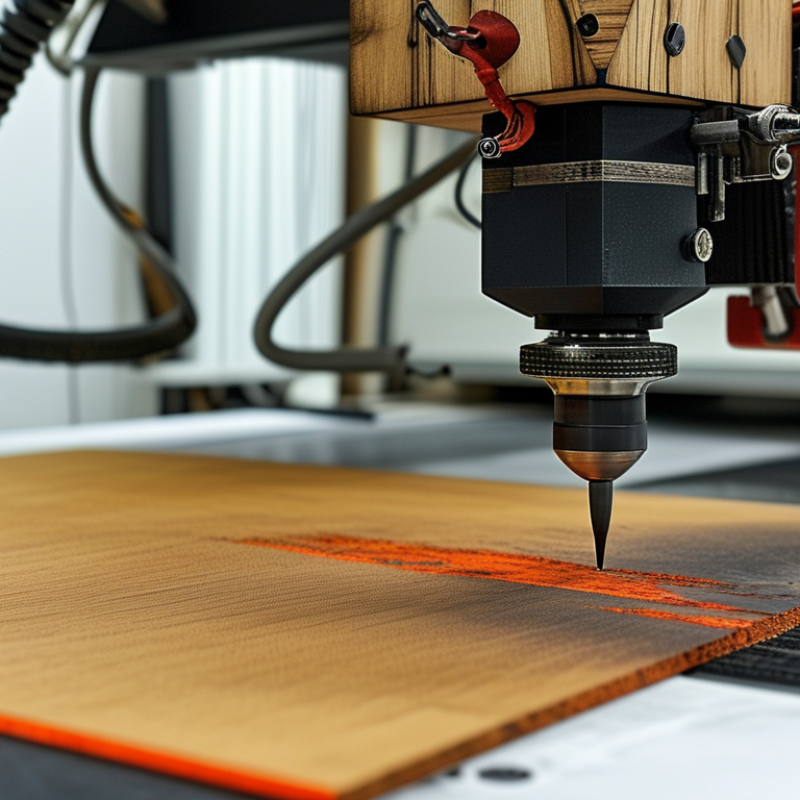
How to Choose the Best Engraving Laser Machine in 2026?

What an Engraving Laser Machine Is and How It Works

How to Choose the Best Engraving Laser Machine in 2026?

An engraving laser machine removes or changes material with a focused beam of light. It does not use a blade. Instead, software converts artwork into movement instructions for the laser head. Mirrors or a moving gantry guide the beam across the work surface. Heat then vaporizes, burns, or discolors tiny areas. The result can be text, patterns, or shallow relief details.

Different laser sources suit different materials. Diode lasers commonly handle wood, coated metal, paper, and some plastics. CO2 systems work effectively on wood, acrylic, leather, and glass. Fiber lasers are designed for precise marking on metals. Air assistance can reduce smoke and improve cutting edges. Extraction is equally important because fumes may be hazardous.

Market data supports careful selection. Grand View Research valued the global laser engraving machine market at about USD 3.1 billion in 2023. Its report projects continued growth through 2030. MarketsandMarkets also identifies automation and digital manufacturing as major forces in laser processing. These figures show momentum, not guaranteed value. That distinction matters.

A larger wattage rating is not automatically better. I would compare the work area, lens options, software control, cooling, and service documentation. Test the intended material before buying. A sample may reveal uneven depth or unwanted scorching. That small failure is useful. It exposes assumptions that a product page cannot. Safety enclosures, ventilation, emergency controls, and compliant operation should guide the final choice.

Which Materials and Engraving Tasks the Machine Must Support

Choosing the best engraving laser machine in 2026 starts with materials, not advertised speed. A practical workshop may handle hardwood, plywood, acrylic, leather, coated metal, glass, and paper. Each material reacts differently to heat, smoke, and surface texture. Wood needs controlled power to prevent dark edges. Acrylic needs clean cutting and reliable ventilation. Glass often requires careful marking methods and low thermal stress. For coated metal, confirm that the machine removes the coating without damaging the base. Also check material safety data before testing unfamiliar plastics.

Then examine your real engraving tasks. These may include photographs, nameplates, serial labels, decorative patterns, deep carving, cutting, and curved objects. Choose suitable resolution, spot size, focus range, and work-area dimensions. A rotary attachment matters for bottles, tubes, and rounded wooden items. Batch production also benefits from repeatable positioning and stable cooling. I once chose a machine mainly by wattage, and my plywood results showed uneven darkness. That mistake changed my testing process. A small power-speed grid reveals more than a sales claim. Request sample files or create your own test pattern. Check fine text, filled areas, sharp corners, and repeated passes. The perfect setting rarely appears immediately. That is normal.

How to Compare Laser Types, Power, Speed, and Precision

How to Choose the Best Engraving Laser Machine in 2026?

Choosing an engraving laser starts with the material, not the machine’s headline power. CO2 lasers suit wood, acrylic, leather, and some glass surfaces. Fiber lasers handle metals with strong contrast and fine detail. Diode lasers work well for thin wood, coated materials, and lighter projects. Transparent materials can expose weaknesses in diode systems.

Power affects cutting depth and working speed, but higher power does not automatically create sharper engraving. A powerful beam may darken small details or damage thin stock. Check the recommended wattage for your daily materials. Compare real cutting tests, not only advertised specifications. A 20-watt system can outperform a stronger one when its focus is cleaner.

Tips: Test a small grid before production. Change power, speed, and line spacing separately. Inspect edges under bright light. For precision, review spot size, lens quality, motion stability, and repeatability. Speed matters when producing many pieces, yet acceleration can reduce detail at corners. I once increased speed to save time and produced uneven lettering. The lesson was useful, but expensive. Leave room for adjustment. Material moisture, coating, and grain can also change the result. Reliable machines include clear manuals, stable ventilation guidance, and accessible technical support.

How to Choose the Best Engraving Laser Machine in 2026? - How to Compare Laser Types, Power, Speed, and Precision
Laser Type Typical Wavelength Common Optical Power Range Suitable Materials Typical Engraving Speed Typical Spot Size / Detail Cutting Capability Best Applications Main Limitations Ventilation Requirement
Diode Laser Approximately 445–455 nm 5–20 W optical output for common desktop systems Wood, plywood, cardboard, paper, leather, cork, some dark acrylic, and coated metal Approximately 3,000–15,000 mm/min, depending on power, material, and image settings Approximately 0.08–0.15 mm; suitable for detailed graphics and small text Thin wood, paper, cardboard, leather, and dark acrylic; cutting thickness varies substantially by material and number of passes Low-cost prototyping, signage, crafts, personalization, and light production Usually cannot mark bare transparent or light-colored materials effectively; slower on thick stock; limited metal processing Required; use an enclosure, exhaust system, and appropriate filtration when indoors
CO2 Laser Approximately 10.6 µm 40–150 W for many small and mid-size machines Acrylic, wood, plywood, MDF, leather, rubber, fabric, paper, glass, stone, and coated materials Approximately 10,000–30,000 mm/min for engraving on many machines Approximately 0.10–0.20 mm; good detail with strong material versatility Strong choice for non-metallic sheet materials; practical thickness depends on optical power, material, and lens configuration Signs, acrylic products, packaging, wood components, awards, and general fabrication Not normally suitable for direct bare-metal engraving; requires mirrors, alignment, cooling, and regular maintenance Required; combustion fumes and material-specific gases must be extracted safely
Fiber Laser Approximately 1,064 nm 20–60 W for common marking systems; higher power is used for deeper marking and cutting Stainless steel, aluminum, brass, copper, titanium, tool steel, and some engineering plastics Approximately 3,000–12,000 mm/s for marking systems; actual speed depends on frequency, hatch spacing, and required contrast Approximately 0.02–0.08 mm; excellent for fine metal text, codes, and logos Primarily for marking and engraving; higher-power systems can cut thin metal, but cutting is a separate performance category Industrial traceability, serial numbers, QR codes, metal tools, jewelry, and anodized aluminum Limited performance on wood, clear acrylic, glass, and many non-metallic materials; higher purchase cost Required; use an enclosure and fume extraction, especially when processing coated or plated metals
UV Laser Approximately 355 nm 3–15 W for many precision marking systems Plastics, glass, coated metals, ceramics, films, electronics materials, and heat-sensitive products Approximately 1,000–6,000 mm/s, depending on marking quality and material Approximately 0.01–0.04 mm; excellent for fine, low-heat marking Primarily a precision marking solution rather than a general-purpose cutting machine Electronics, medical components, packaging films, glass products, and high-contrast micro-marking Higher equipment and maintenance cost; lower throughput for large-area engraving than many CO2 or fiber systems Required; use a fully enclosed system with suitable extraction and UV radiation protection
How to compare specifications: Laser power alone does not determine productivity. Compare optical output, real working speed at the required quality, spot size, acceleration, lens or focal length, work area, cooling system, software, enclosure safety, extraction, and after-sales maintenance. Published speed and thickness figures are indicative ranges; actual results vary with material composition, color, surface finish, focus, air assist, lens selection, and the number of passes.

Which Safety, Software, and Maintenance Features Matter Most

Choosing an engraving laser machine in 2026 starts with safety, not speed. Look for a fully enclosed workspace, door interlocks, emergency stopping, key control, and visible emission warnings. The IEC 60825-1 standard defines laser classification and protective requirements. These details matter because the U.S. Bureau of Labor Statistics recorded about 2.6 million nonfatal workplace injuries in 2023. A cheap open design can create expensive uncertainty.

Software should support controlled, repeatable work. Useful features include job previews, material libraries, camera alignment, user permissions, and automatic power-speed records. Audit trails help explain why one batch looks darker than another. A 2024 global smart-manufacturing survey found that 95% of manufacturers planned to invest in artificial intelligence or machine learning. That trend is promising, but not every “smart” feature solves a real production problem. Simple software is often safer.

Maintenance features deserve equal attention. Choose machines with runtime counters, airflow monitoring, filter alerts, lens-cleaning access, and calibration reminders. The U.S. Department of Energy reports that predictive maintenance can reduce downtime by 35–45% and maintenance costs by 25–30%. Check whether those figures match your workshop. They may not. A practical test is better: run a long engraving job, inspect the exhaust path, review the service log, and ask who can repair the machine locally. Fancy dashboards cannot replace clean optics and disciplined maintenance.

How to Evaluate Cost, Workspace, Support, and Long-Term Value

Choosing an engraving laser machine in 2026 requires more than comparing advertised power. The real decision begins with your budget, workspace, and daily production needs. I have seen buyers focus on speed, then discover that ventilation, electrical upgrades, and maintenance cost more than expected. My first estimate was wrong too. Leave room for hidden expenses.

Measure twice. That matters.

Check the machine’s footprint, working area, door clearance, and material storage space. A compact workshop may need a smaller bed, even if a larger model seems more productive. Measure the route from delivery entrance to installation site. Consider noise, heat, fumes, and access for cleaning. A machine that fits on paper may feel unusable beside a crowded workbench.

Support can protect long-term value. Ask whether training, troubleshooting, spare parts, and software guidance are clearly available. Request realistic response times, not vague promises. Review warranty terms carefully, including consumable parts and on-site service. Keep records of maintenance and operating hours. This improves reliability and helps reveal recurring costs. Cheaper equipment can become expensive when downtime interrupts paid work. Still, premium pricing does not guarantee better support. Speak with experienced users when possible, and compare documented service quality rather than confident sales language. Some assumptions deserve testing before purchase.

How to Choose the Best Engraving Laser Machine in 2026?

Compare common laser categories using a practical 1–5 evaluation score, where higher values indicate a stronger fit for cost efficiency, workspace, supportability, and long-term value.

How to read this chart: Diode lasers generally offer the lowest entry cost, while CO₂ and fiber systems provide broader material capability and higher production potential. When choosing a machine, compare the working area, ventilation requirements, replacement-part availability, training, warranty coverage, and expected maintenance—not only the purchase price.

Submit a quote request or book a design consultation

Plastimold Products is an end-to-end product development and manufacturing team.  We provide product design, engineering, prototyping, tooling, plastic injection molding, assembly, packaging and fulfillment.  We work with any size company from start-ups to enterprises from all around the world.

I have a product I want to manufacture

I have a product that is already designed and now needs to be manufactured. 

I need a manufacturer to optimize my product for injection molding, help choose the correct material, and manage the product production.

I have tooling that I want to transfer or modify, or I need to produce new tooling.

I need design and engineering support

I have a product concept that I want to be designed and brought to market.

I have a product that needs to be reviewed, improved or DFM’ed.

I am looking for a manufacturer to provide an end-to-end solution, from design and development to inventory, marketing, and sales.
